
Share from Safari
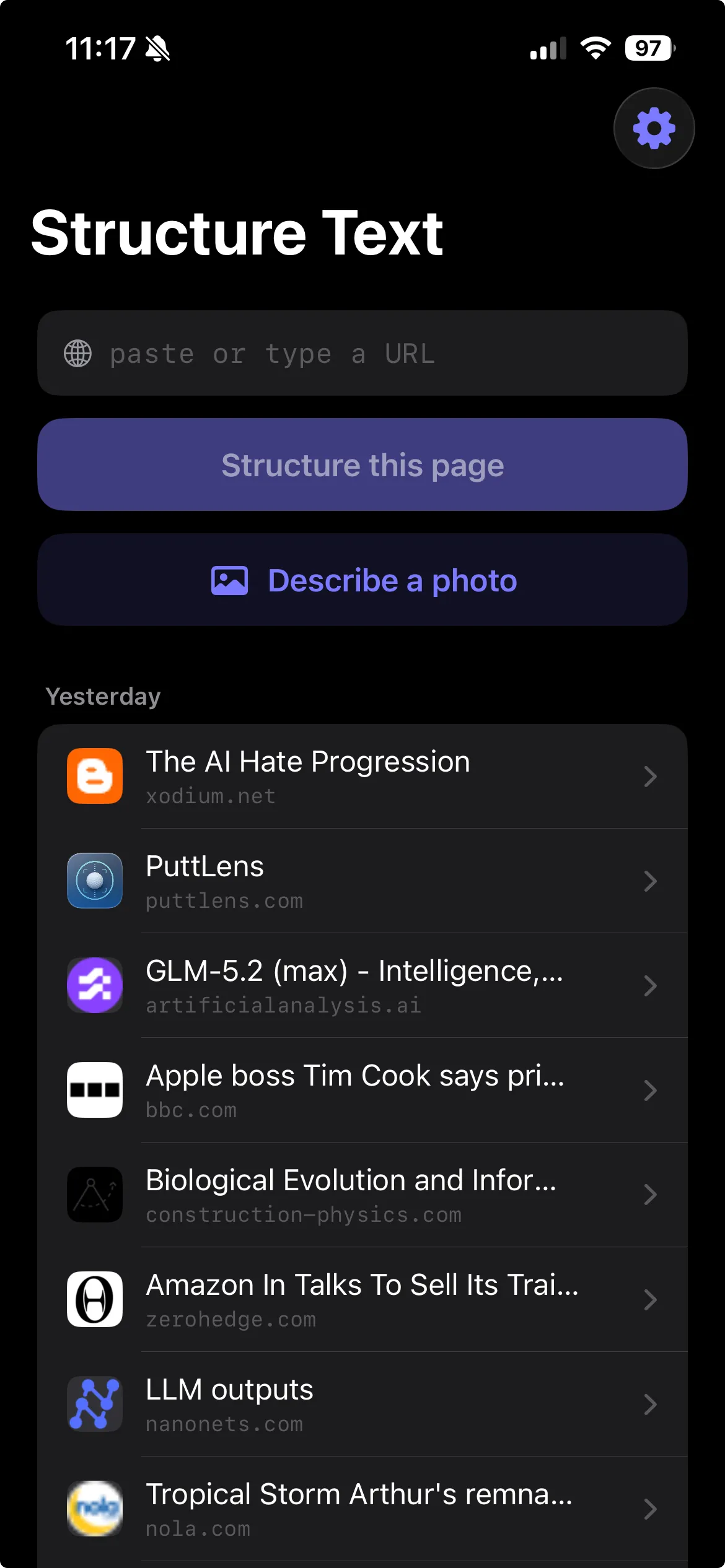
On any page, tap Share → Structure Text. It converts the page Safari already rendered — instantly, and offline. This is the fastest way in.
Private by design · 100% on-device

Structure Text turns any web page into clean, LLM-ready Markdown — and it all happens on your iPhone or iPad. Share from Safari, paste a URL, or describe a photo. Nothing you read or convert is ever sent to us.
Works like your browser — but nothing you read or convert leaves your device. No account, no cloud, no tracking.
What it does
The web is full of menus, banners, popups and ads. Structure Text strips all of that away and hands back just the content — as tidy Markdown you can paste into notes, docs, or any AI assistant.
On any page, tap Share → Structure Text. It converts the page Safari already rendered — instantly, and offline. This is the fastest way in.
Prefer to start in the app? Paste any link and Structure Text fetches the page and structures it for you.
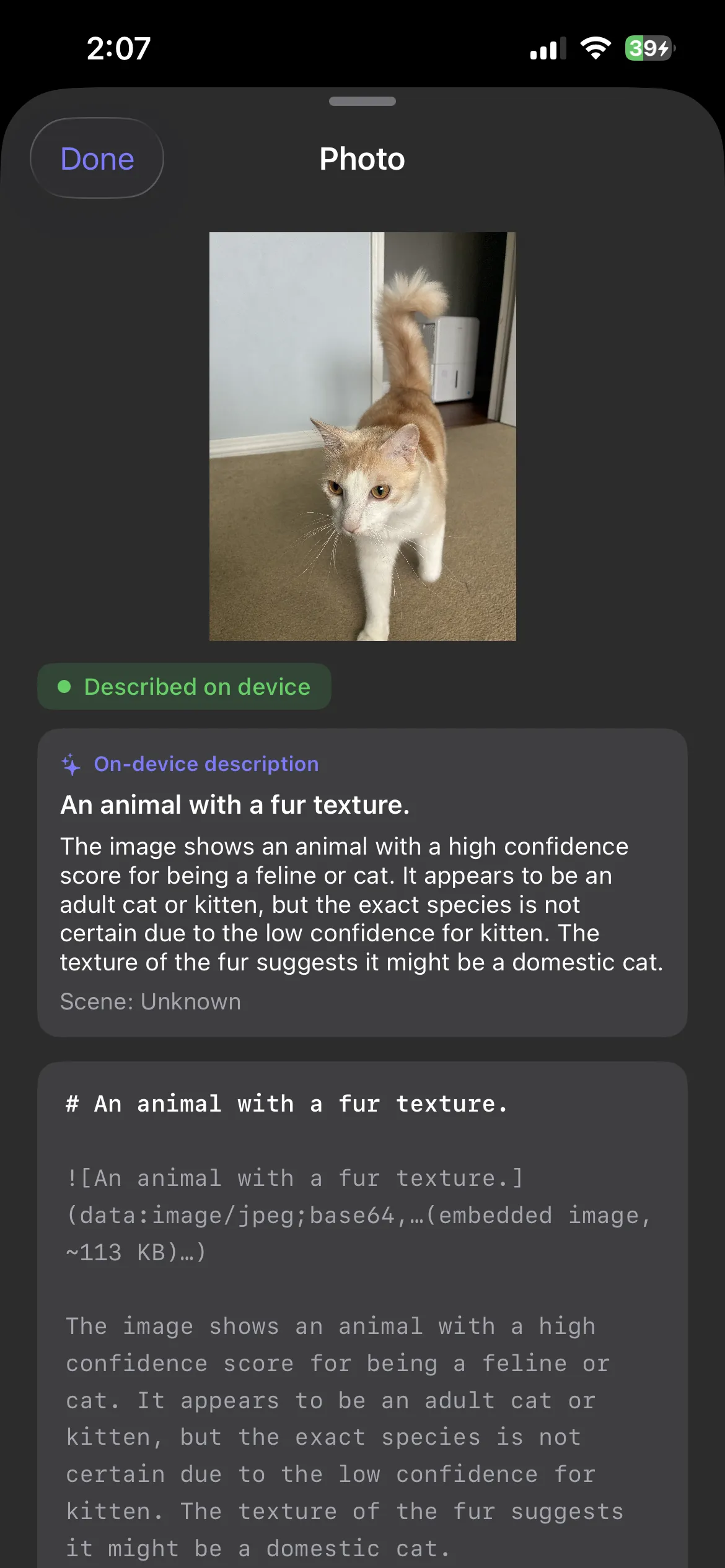
A secondary feature: hand it a photo and on-device Vision plus the model write a plain-language description you can keep.
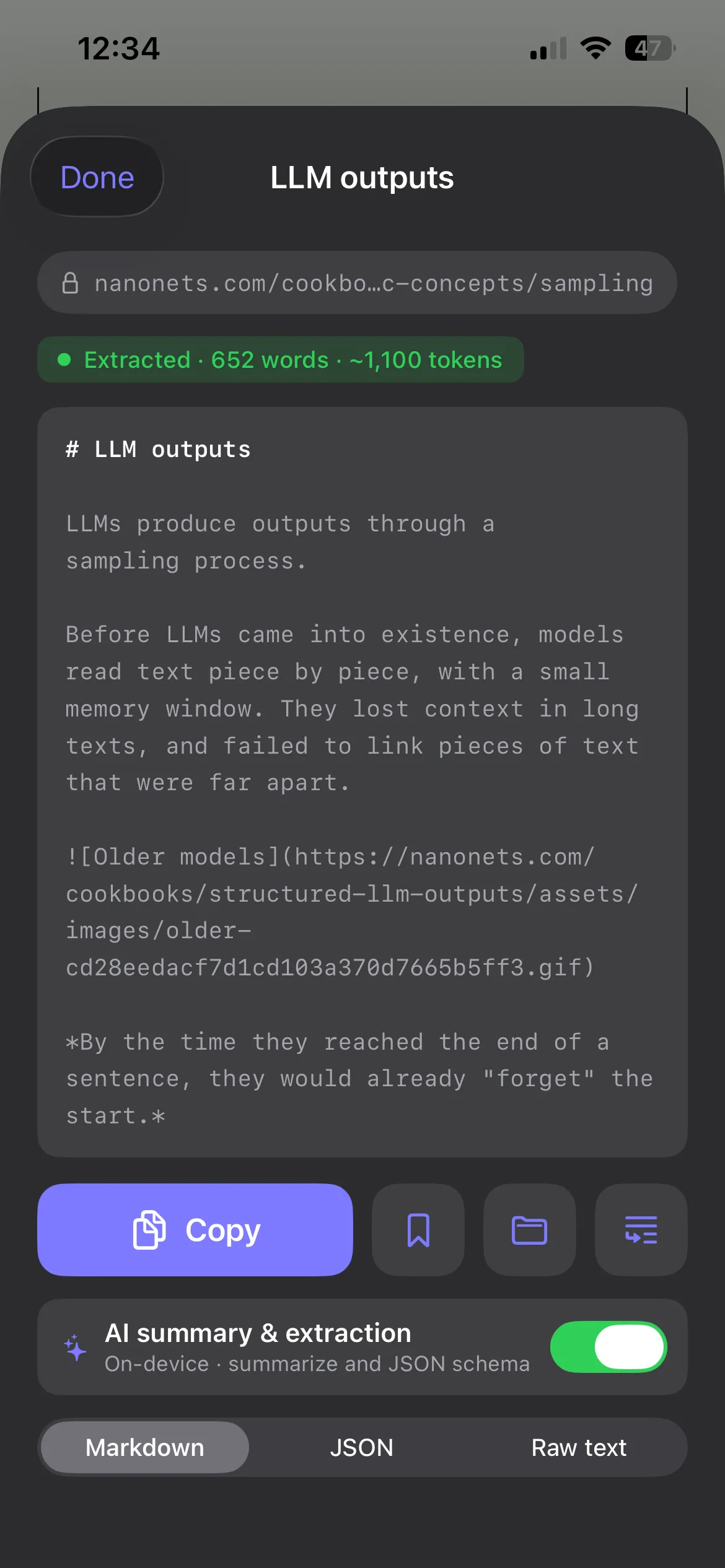
A readability-style parser preserves the real shape of the page — not a wall of text.
Switch the output to whatever your next step needs.
How it works
From the Safari share sheet to finished Markdown, a single readability-style pipeline does the work. It's deterministic: the same page always produces the same Markdown.
A news article, a docs page, a recipe — whatever you're reading.
Pick Structure Text from the share sheet, right where you already are.
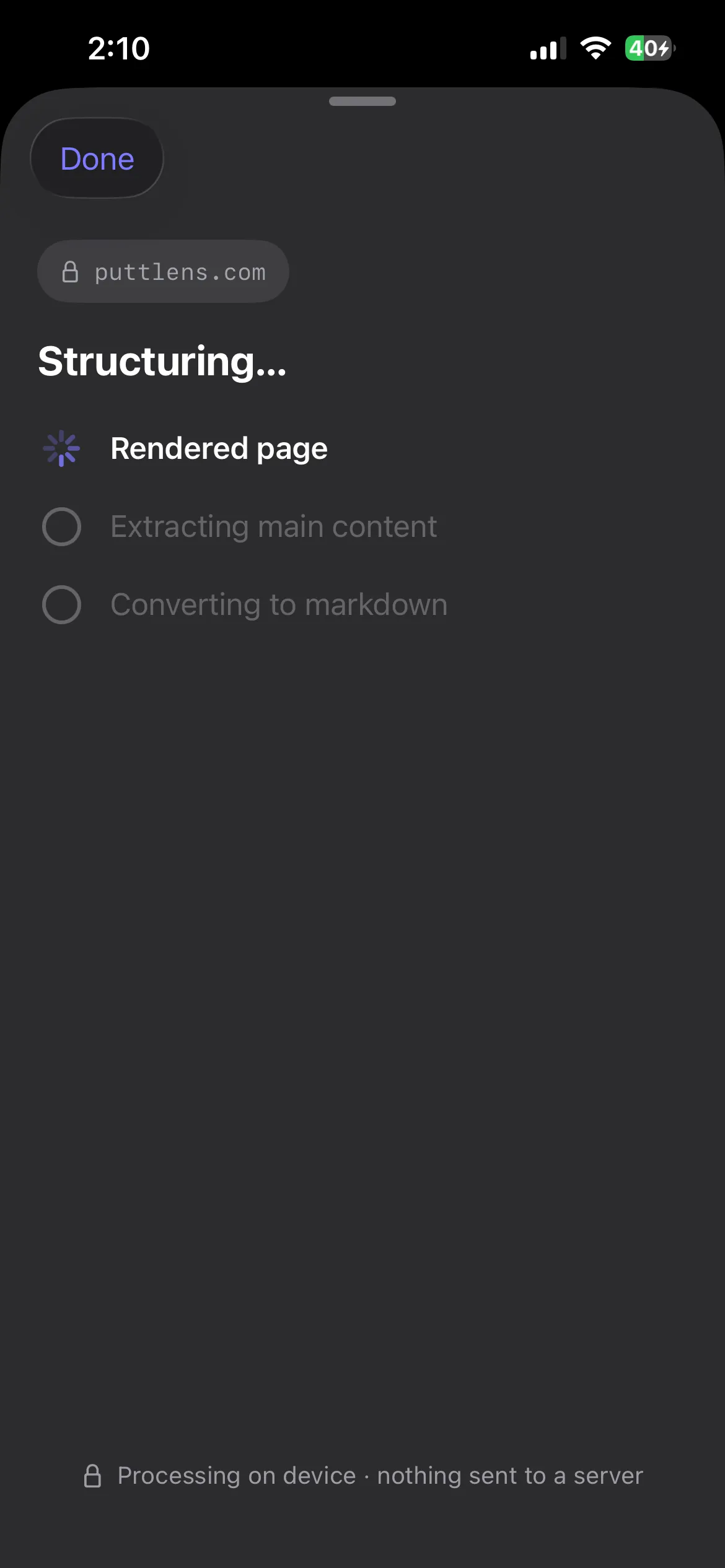
It converts the page Safari already rendered — instantly, and offline.
It works with the fully rendered page — the same one you see in the browser, scripts and all — so dynamic content isn't lost.
A readability-style parser finds the real article and strips nav, ads, banners, and clutter.
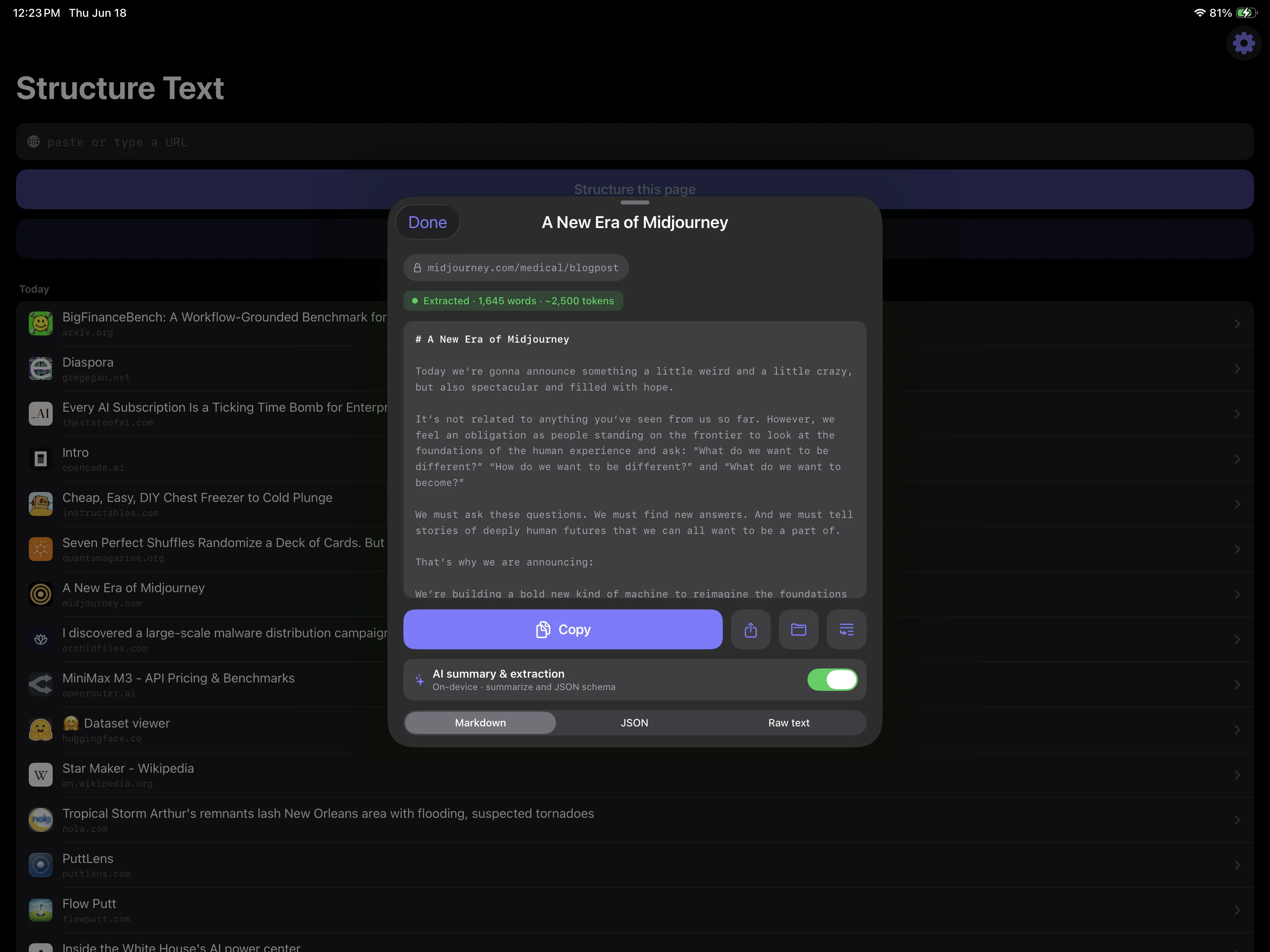
The cleaned structure becomes tidy Markdown — headings, lists, links, quotes, code, and tables intact.
Every stage runs on your device. As the app puts it during a conversion: “Processing on device · nothing sent to a server.”
Privacy
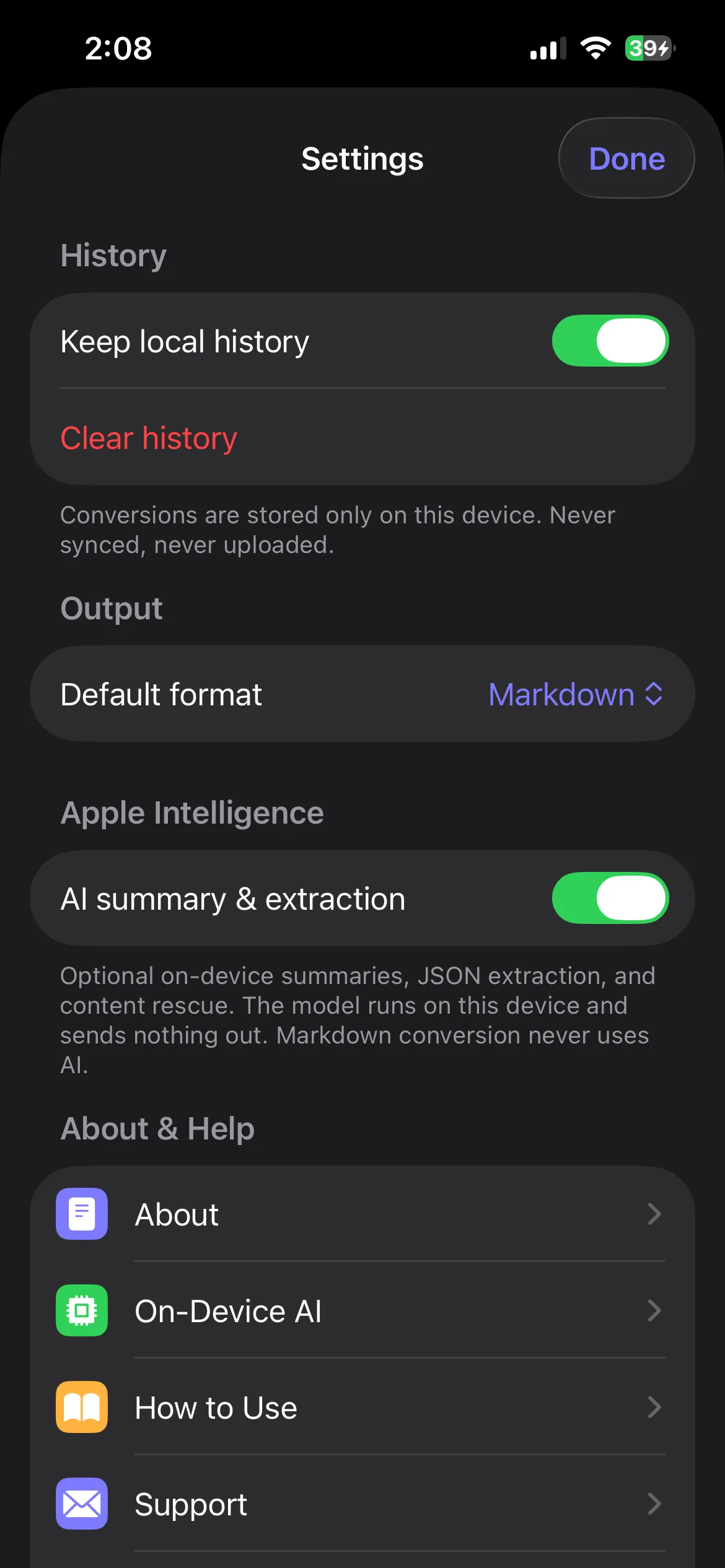
The conversion pipeline and the optional on-device model run entirely locally. Nothing you convert is uploaded — no account, no cloud, no analytics, no tracking.
The app's only network activity is loading the page you asked for and its favicon, fetched from that site's own origin — exactly like a browser, and never sent to us or any third party.
In plain terms: it works like your browser — but nothing you read or convert is ever sent to us.
Use it the moment you install. There's no sign-up, no login, no profile.
The conversion runs on your device. There's no server doing the work — and nothing to upload.
No third-party SDKs, no telemetry, no fingerprinting. We don't measure what you read.
Recent conversions are stored only on your device and are never synced anywhere.
The only requests are for the page you asked for and its favicon — from that site's own origin.
The same page always yields the same Markdown. No model in the loop, no surprises.
On-device AI
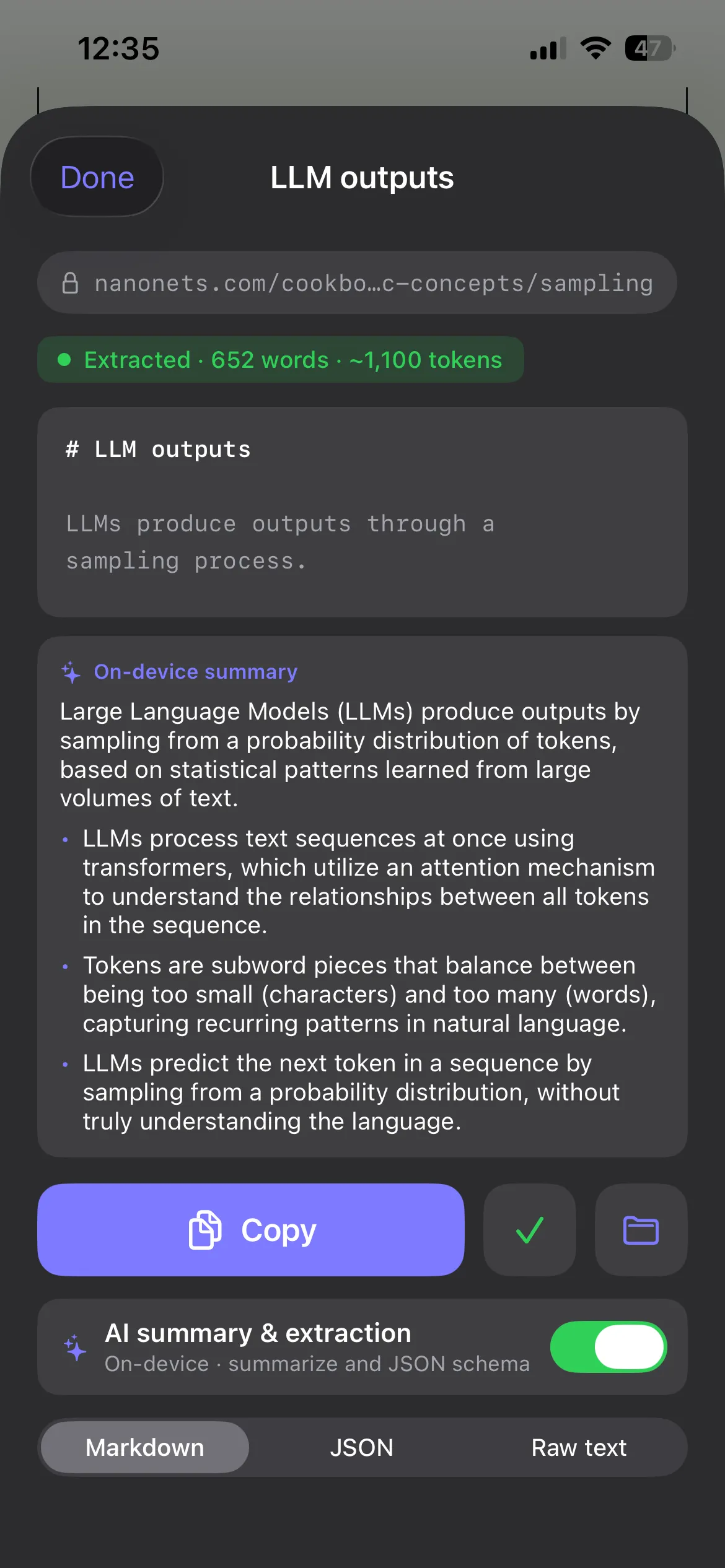
Structure Text can use Apple's Foundation Models framework — a small model that runs on your iPhone or iPad — to add a few helpful touches. It's an enhancement, never the structural core. Markdown conversion never uses AI.
A quick TL;DR plus the key points, so you can grasp a long page at a glance.
When deterministic extraction struggles on an awkward page, the model helps recover the readable content.
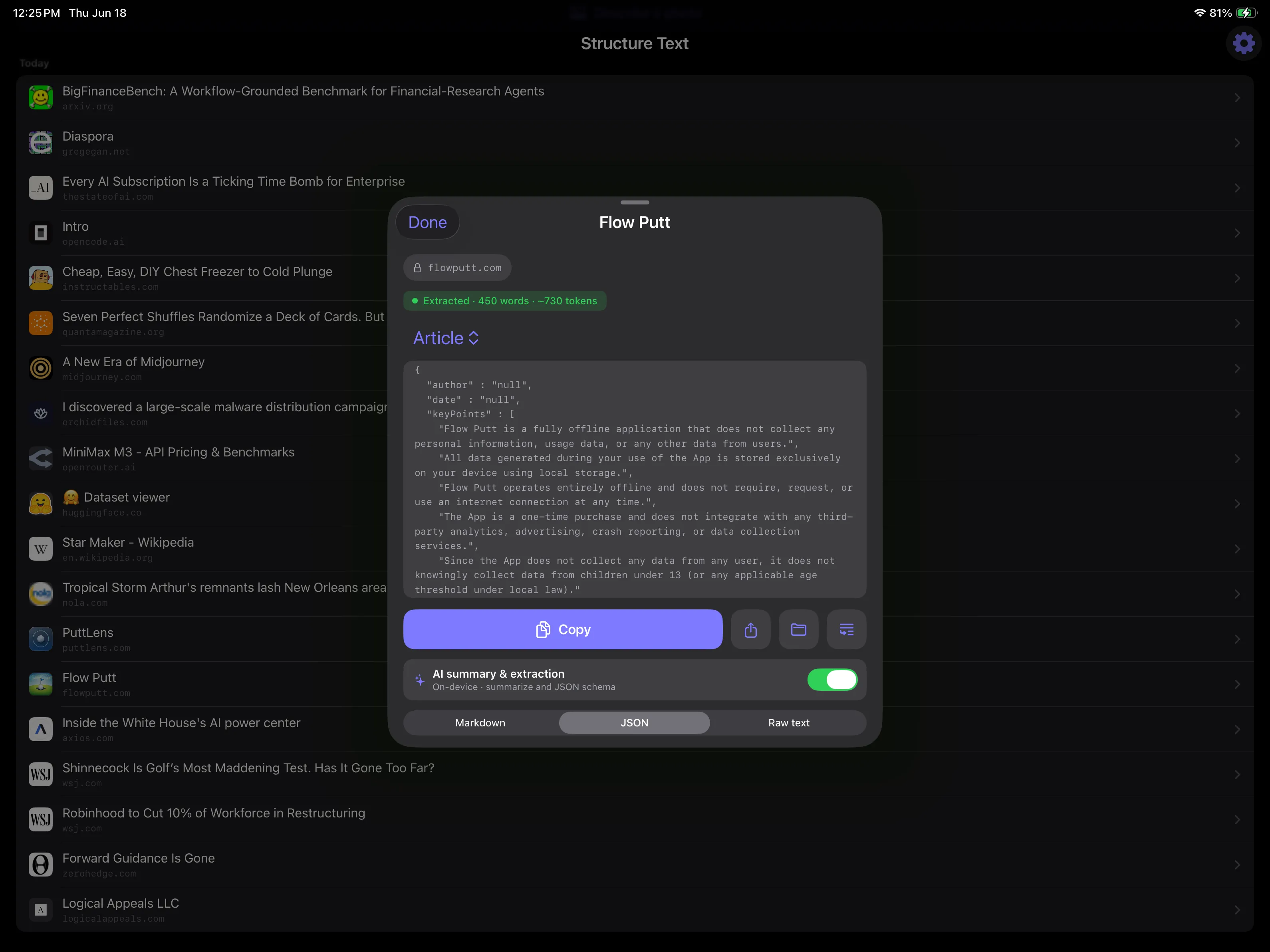
Pull structured data into a JSON shape you define — handy for feeding other tools.
Screenshots
A native, dark-mode-aware interface that feels right at home on iOS and iPadOS. Tap any screenshot to view it larger.


Structure Text is available on the App Store for iPhone and iPad.
Nothing you read or convert is ever sent to us.